Enabling agentic user experiences for the enterprise.
Bring AI into the work of enterprise earned value management: the analyst’s question, the CAM’s explanation and the program leader’s next decision.
VAR Studio and Empower CLI connect trusted program information to new ways of working. CLI Trainer helps teams learn the operations; OData connects business intelligence; our AI video production brings specialist CAM training up to date.
01 / Explain and review
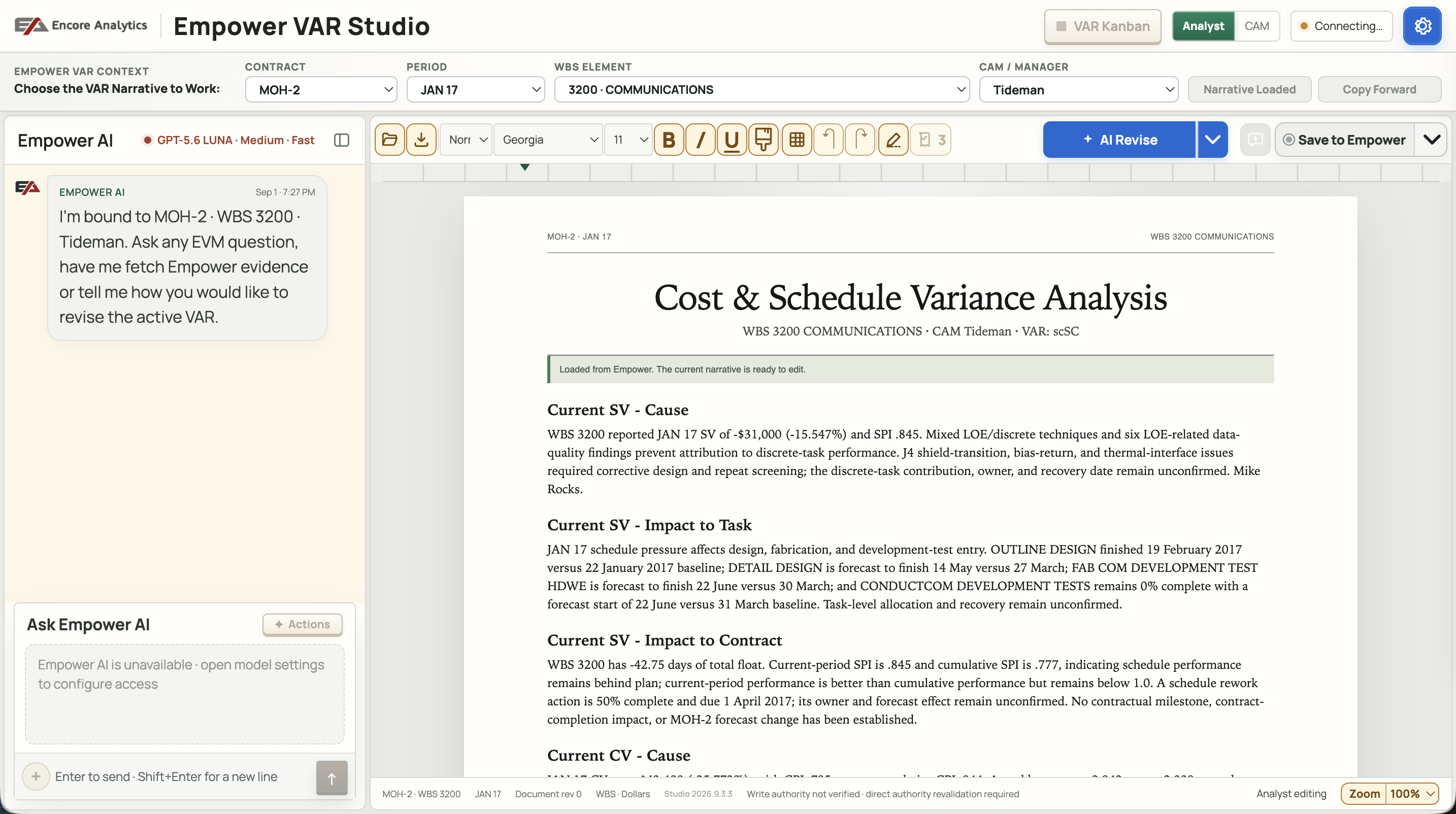
VAR Studio
In development
Bring the narrative and its evidence together.
A variance explanation has to stand up to questions. VAR Studio brings the draft, supporting Empower evidence and AI-proposed revisions into one workspace, so analysts can judge each change in context.
The control account manager keeps responsibility for the explanation. Empower CLI connects the workspace to native narrative and workflow operations under the user’s Empower permissions.
Review proposed changes by section: accept, reject or undo.
Inspect evidence for the selected contract, reporting period and work breakdown element.
Keep the explanation connected to the official Empower record.
Give applications and agents clear ways to work with Encore Analytics Empower. Empower CLI enables them to discover relevant evidence, bring it into a purpose-built workspace and support a person’s next step.
VAR Studio shows how that connection can change variance analysis. The CLI supplies source operations and reporting context; the application supplies the experience and AI assistance. Empower remains the source of record.
Give agents documented operations and structured results.
Keep contract, period and scope with the evidence they use.
Follow native permissions and explicitly confirm permitted Input writes.
Put the question, the evidence and the next step together.
Encore Analytics EmpowerEmpower CLIDiscover context · Retrieve evidence · Use permitted operations
VAR StudioAI beside the working narrative.Agentic applicationsEvidence and actions for the task.Empower ODataProgram data for Power BI and Excel.
The CLI connects to Empower. Applications add the interface and AI reasoning; OData provides a read-only BI feed.
More ways to strengthen the work
Test the workflow. Prepare the people. Connect the data.
Learn what the commands do, keep expert training up to date, and bring program data into the reporting tools your team already uses.
03 / Learn and validate
Empower CLI Trainer
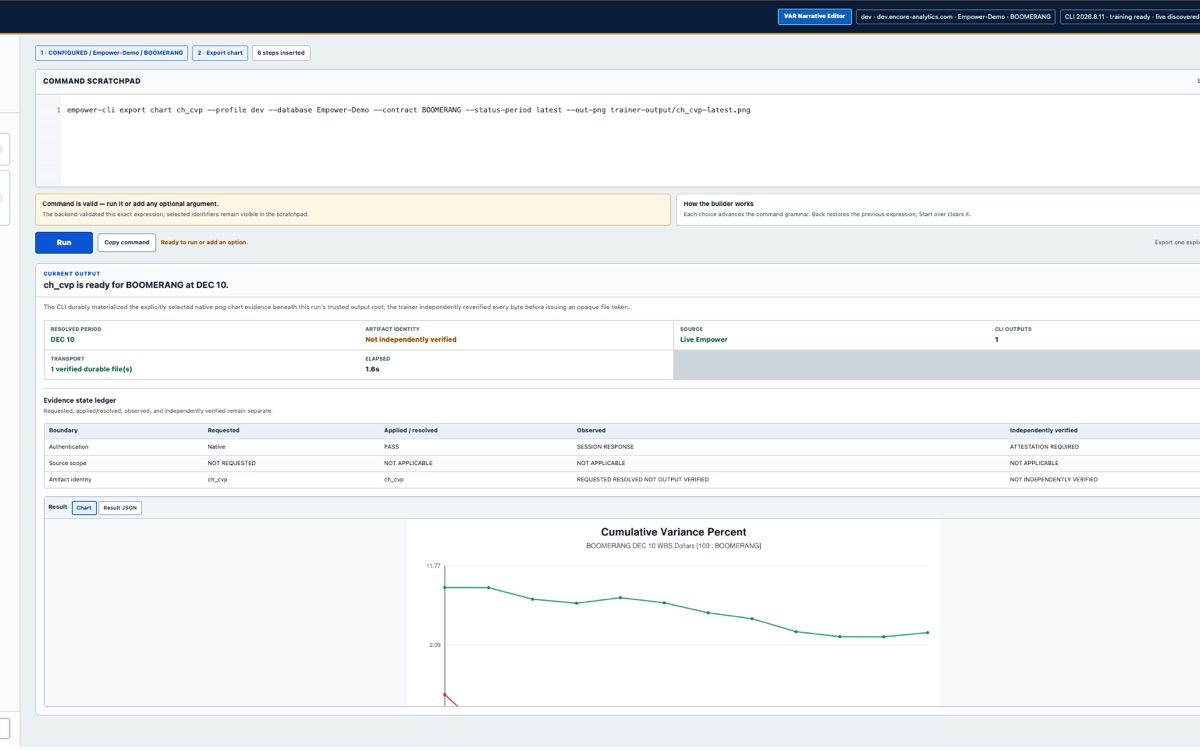
CLI Trainer · Example interface
Try the command. See the result.
A local browser workspace for learning and testing Empower CLI. Choose a reporting context, discover the available artifacts and inspect the returned file or chart before building it into a repeatable process.
Make real commands and their outputs visible.
Exercise permitted native Input operations and read back saved results.
For Humphreys & Associates, KUON rebuilt Control Account Manager review preparation as a maintainable AI video course. The H&A Education Team guided the instruction and domain review; KUON controlled the AI production.
Incorporate current practices and policy updates into the course.
Maintain consistent EVM terminology, pronunciation, casting and scenes.
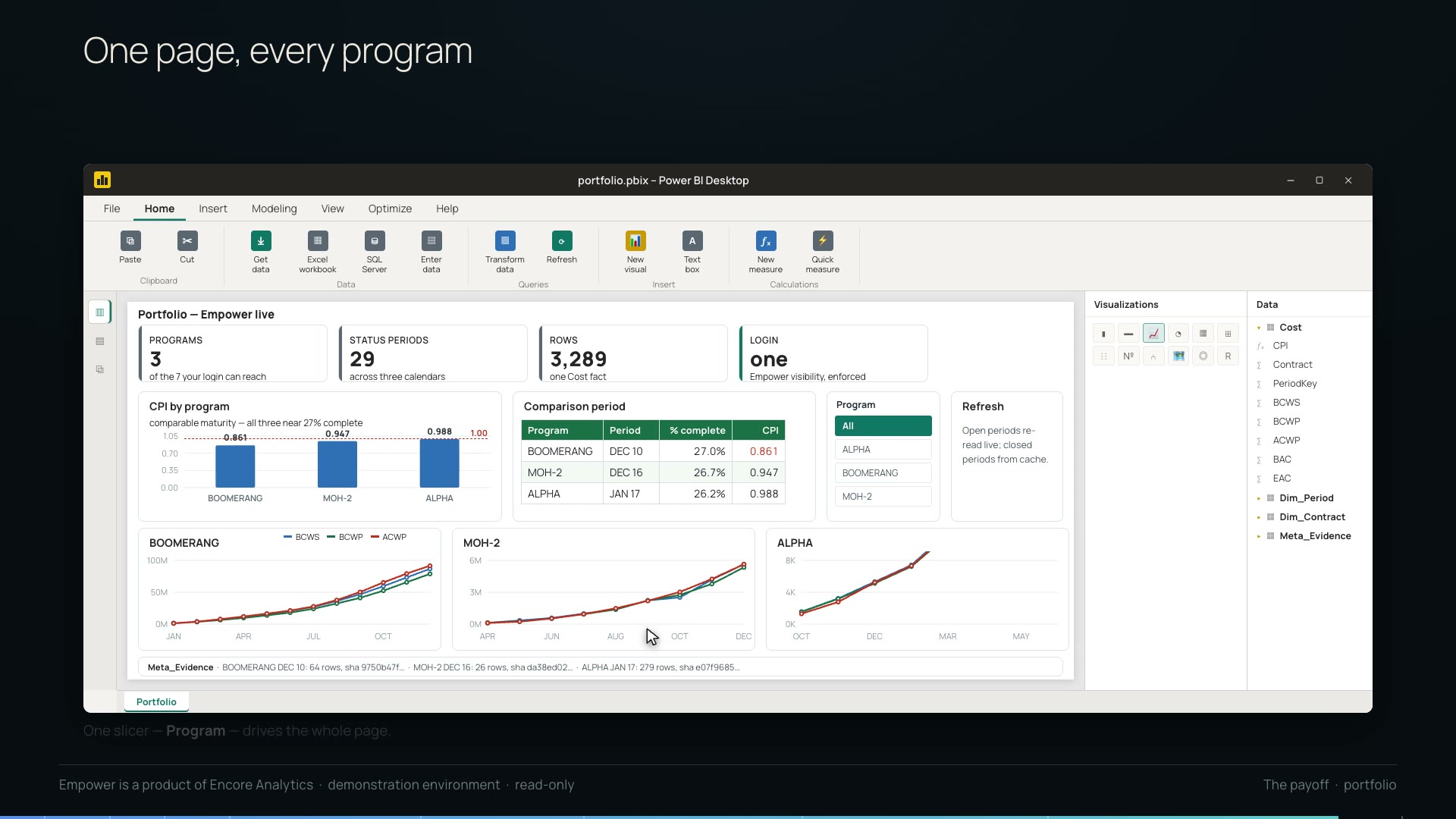
Illustrated Power BI demonstration · Empower demo data
Bring Empower into Power BI and Excel.
A read-only OData feed built on Empower CLI reads. Typed views and checks against Empower’s own exports help catch discrepancies before they reach a dashboard. Reporting reflects the data available at refresh.
Keep reporting context and provenance with the data.
Rebuild aggregate cost and schedule indices from summed components.
Empower CLI, CLI Trainer and OData documentation require sign-in. Example interfaces and charts use demonstration data.
Work with KUON
What do you need from Empower?
An AI-assisted review workspace, an agent that retrieves the right evidence, a clearer portfolio view or training that stays current. Start with the experience your team needs.